Emerge

How To’s

Ways Facebook fans engaged
Facebook Advertising, How To's, Our Blog, Social Media

How To Keep Your Facebook Fans Engaged

It’s no secret that having a Facebook page is important. But are you doing enough to ensure your fans are engaged? Whether you post an image, meme, selfie, groupie, or video, your goal is to have it noticed. The maximum number of friends you can have on Facebook is 5000. Let’s say your fan has 1000 friends and 50% of them posted a Facebook update. Do a simple math. Your fan will get a rough estimate of 500 posts on his timeline. Do you think your post will get noticed? So what is your Facebook page lacking? Could it be better? Keep reading to learn exactly what your Facebook page needs to help your digital marketing strategy. Consistently responding to fans’ posts and comments Are you or someone on your team consistently responding to fans’ posts and comments? While we’re busy posting new things on our Facebook page and doing research on what to post, we tend to leave this part behind. Here are the reasons why you might ignore your Page’s comments: Afraid to reply negative feedback Receiving too many comments Run out of script Having no idea in handling the comments When you let those reasons stop you from responding to comments, it’s a sign of weakness. So how can you build better relationships with Facebook fans — and also get them to engage with you? Start replying to comments and be there when your fans talk to you. Below is a screenshot of how it is great to reply in every comment. Tag your friends Tagging is one of the features of social media platforms has ever made. You can see that on Facebook, Instagram, or Twitter. Why? Because it’s actionable. Remember first and foremost what Facebook is used for—connecting with people you know. Asking your fans to tag their friends spurs higher engagement. It expose you to a new audience to increase your following, and it will increase your comments within that first hour of posting. Tag A Friend Who is a great example of Facebook page that does the tagging a friend a strategy. Below is the example of post did just that, posting a meme – another good tactic! – of a drunk person. Then, it asked everybody to tag somebody they know who acts like that. The response – shares and likes – were in the hundreds. Leverage Facebook Live Do you wish more people interacted with your Facebook video? Facebook Live is one of the top Facebook contents in 2017. While Facebook gives priority to video in the news feed, Live video ranks even higher. According to Facebook, people spend triple the amount of time watching a video when it’s live, because of the nature of live content: it’s exciting, in-the-moment, and the next best thing to being there. The good thing about Facebook Live is when you started a Facebook live, all your friends will get notified. The moment they receive the notification, they can easily join your Facebook Live and participate. Protip: Don’t forget to ask viewers to share, comment or like your broadcast, or to follow your page if they have come in via a recommendation. Pay Attention To Your Reviews Do you monitor and engage with Facebook Reviews for your business page? True enough. Not all business owners or marketers respond or engage with Facebook reviews in any way. This led me to wonder: Do Filipinos restaurants know where to find Facebook reviews? Here’s how to find it: It’s part of a timeline. They allow your followers to comment on their experience with your business and assign you a star rating. They are located on the upper-right hand side of your page under your cover pic. Reviews are categorized into three: most helpful, most recent, and star rating. Your review rating is important. Facebook’s algorithm has a component which uses this to determine whether or not your business is eligible to appear in your fan’s news feed. The higher the rating, the higher the reach! Protip: Make Facebook page review work for you by always responding whether it’s positive or negative. These are just a few things that can help create a highly engaged Facebook page. What are you waiting for? Make sure your Facebook page is holding up and doing the best it can to help you build customer relationships.

Facebook Business Online
Facebook Advertising, How To's, Our Blog

How Do You Make Facebook Page Work For You

Are you looking for ways to turn your Facebook page into a sales machine? Do you know that Facebook can help you get more customers? Most business owners don’t have clue that it’s possible to make your Facebook page work for you. If you’re on the clueless side, it’s not too late. You can learn. In this post, I’m sharing ways you can achieve your goals even at the beginning of your efforts. But before we dive into that, here are some of the questions small business owners need to ask themselves: Is your goal to drive traffic to your site? Is your goal to get people to purchase? Is your goal to get more walk-ins to your store? In every goal, there’s actions to take to reach it. Here’s how. How Do You Make Facebook Page Work For You Keep your social content updated Creating a Facebook page doesn’t end there. Though it’s a prerequisite to have a Facebook page before you can start advertising, having one and abandoning, then wait for it’s own brain to do the work for you is not a good idea. It’s just as important to keep your page fresh with regular posts including tips, specials, photos, and videos. Let’s take the Revlon Philippines Facebook page as an example. Their last post (timestamp is May 26, 2017, 11:04 AM) is one hour ago which means they constantly post new updates. Protip: To make your Facebook page active, allot at least 15 minutes a day to post an update about your business. Link your Facebook page to your website or email signature I’ve seen websites that have no link to their Facebook page. There are also websites that have Facebook page but not visible enough to locate the link. If you already have a website, make sure to include social sharing buttons on prominent pages and content. That way people who find something of interest on your site can easily like and share that content on their social media channels. Here’s a good example from Entrepreneur website. The Facebook icon is placed on the footer of the website. Even though it’s not on the upper part of the website, it’s still on the homepage. If you’re going to include a Facebook link on your email signature, you can easily do that with Wisestamp. It’s a web-based email signature creator where you can setup and design an email signature and automatically integrate it on your email. By linking your Facebook page to your website or email signature, it will increase the chances of getting more fans and engagement. Come up with different social media content ideas Here’s a secret you won’t always see – switch your post ideas regularly! This might seem like a lot of work, but there are a few reasons why having new theme frequently can help your Facebook page. I’m sure there’s a lot of things happening on your business and sharing them with your audience is a great move. You can post about news and upcoming events, upload photos and videos, celebrate milestones, or even share links from other sources that support your business’s message. Protip: Craft posts that are relevant and valuable to your followers. To help with coming up various topics, here’s our social media marketing template you can download and use as a guide. Measure results to improve There are many ways to measure the results of your Facebook page and it begins with one question: What’s your objective? This will help you determine if the results your efforts are driving are hitting the mark. For instance, if your goal is to increase engagement, then you may want to look at reach and engagements as an indicator of success. To do that, simply go to Insights tab and click Overview. In a simple glance, you’ll see if there’s an increase or decrease on your metrics. Engage with your followers Your Facebook is channel for two-way conversation. Here are the ways to engage with your followers: Monitor and listen to comments on posts Monitor mentions Reply to customer reviews Reply to issues you can resolve Say thanks to positive post Reply to private messages Let’s take Poracay Resort facebook page as an example of engagement. It shows in the image below that it’s a two-way conversation. And with the Pages Messaging feature, customers can send you private messages. You can set an automated reply or create a saved reply. Protip: Take note of your average response time to questions to keep customers informed, happy and engaged. Launch Facebook ads Facebook is a pay-to-play platform. If you want to reach more people, you may want to consider advertising. You can advertise for as little as Php 40 or $1 a day. To get started, settle on an objective for your campaign. Do you want to get more likes or engagement to your post? This will give you direction in choosing your objective and your target audience by: Location Demographics Interests Behaviors Connections Then, decide where you want to place your ads (news feed, right-hand column, etc.), choose an image and craft texts for your ads. The easiest way to advertise on Facebook is through boosting a post. This features allows you to promote an existing post on your page to not only the people who like your page, but their friends and beyond. Just set your budget and target audience and Facebook will do the rest. Conclusion Facebook has many ways to promote your business and get it in front of your target audience. But it takes time, money and effort to make your Facebook page work for you. If you have a Facebook page, you surpassed the first step. Following the ways I’ve mentioned above will surely help your business becomes successful on Facebook.

Powerful small geo targeting facebook
How To's, Our Blog, Social Media

A quick 3 step guide to setup Geo Targeting in Facebook

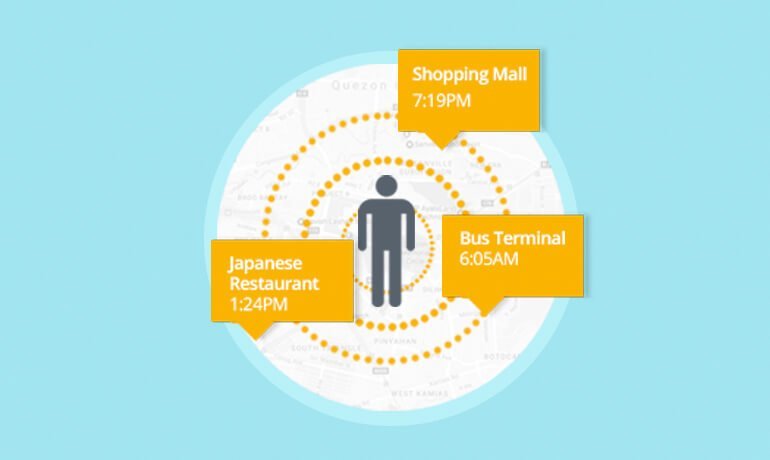
Are you targeting ads to serve Facebook users in a very specific location? Do you feel that Facebook is exhausting your city-specific audience and getting high CPCs? Maybe you need a new approach. Generally, we select more than one locations to get larger audiences but cheap traffic and scalability. However, it’s not always the case. Some clients prefer to stick in one city because they feel that their target Facebook are living there and get the most benefit out of their business. Imagine a spa business near you, do you think the business owner will target the people living 25 miles away from its location? I doubt it. In this article, I’m going to show you ways on how to keep your CPCs lower and get the best possible results from your Facebook ads without sacrificing city-specific geo-targeting. How To Use Powerful Small Geo-Targeting on Facebook What is Geo-targeting? Geo-targeting is the practice of delivering different ads to a Facebook user based on their location. That location can be a city, ZIP Code, IP address, or other location specific criteria. In the image below, Facebook gives you an option to select your preferred location. Ways to give your city-specific geo-targeting a boost In our experience, when an audience size is 1M or up, it will down to under 100K when you apply city-specific geo-targeting. For one client, our audience sizing went from 1 million (with all geos in one ad set) down to under 310k when separating out for geo-targeting. The comparison below shows you the difference in potential reach when you apply layers of locations and city-specific geo-targeting. Potential reach is more than 1M Potential reach is 310K If you have smaller size audiences, CPC bidding is ideal than CPM because the latter can increase your costs and drop conversion rates by 50%. Here are few ways to get the conversion rates back without casting a wide net to all the cities in one ad set: 1. Test higher Lookalikes to increase audience size and bid with oCPM Expand those winning 1% Lookalikes with higher percentages like 3% or even 5%. The similarities between users in your seed audience become more general and the similar audience becomes more general, and less valuable in turn, it’s still close enough to drive higher conversion rates, especially with oCPM bidding. For this, try to get the audience size to at least 500,000 and a budget high enough for each ad set to generate 15-25 conversions per week. 2. Test interest-based targeting While interest targeting is your least priority in ad testing stage, this is the time to test it out. You can layer interests to obtain your goal audience size. 3. Incorporate city-targeting in your copy or image Let’s say you want to target people who live in New York City. You can create ads for New York city, maybe with an image that is highly relevant to that city and copy that focuses on that city. Calling out the name of the city or making it obvious that it’s highly relevant to the people in New York will give you a boost in conversion rates. . Conclusion By using these tips, you can build larger audience for your city-specific targeting in minutes. Facebook can give you many ways to do that but you need to be creative. Each of your campaigns can drive more foot traffic without increasing your ad spend and sticking to what your client wants. Have you tested out advertising with small geo audiences on Facebook? What was your experience? Let us know in the comments!

Creative Instagram tips small businesses startups
Facebook Advertising, How To's, Our Blog, Social Media

How To Build Facebook Audience From Scratch and Increase Conversion

Looking for ways on how to build Facebook Audience but you’re not quite sure where to find them? Do you have a great product, service, or offer but you’re not sure how to get it in front of your next customer? And did you know that 78% of American Consumers discovered products that they wanted to buy via Facebook ads? As a beginner, these are the types of questions you ask yourself when placing a Facebook ad. Well, it’s possible to target your ideal audience even you start from scratch. In this article I’ll share three ways to target Facebook users with your ads, many you’ve likely not considered. Build New Audience Through Facebook Fans There’s one way to show your ad to people who have liked your Facebook page. Target People Who Are Similar To Your Facebook Fans One way is to use lookalike audience where you target all the people who have the same interest and behavior. This targeting is ideal for Facebook pages with very few likes. If you have a business page which has more than 2000 likes, you can target your own fans aside from this targeting. Start by going to the Audiences section in your Facebook Ads Manager. Click Create Audience. Select Lookalike Audience. You can choose multiple target audience size in one lookalike. Now you are starting to build Facebook audience, and you can target your Facebook fans. Build New Audience Through Your Existing Email List There are two ways to show your ad to people who have subscribed to your email list. Target People Who Are In Your Email List One way is to target all the people who have subscribed to your email list and show your ad when they log in to Facebook. Remember that if you upload 1000 email address, Facebook doesn’t guarantee that they will be showing your ads to 1000 email addresses To start, click Choose Create Audience and select Custom Audience. Then Select Customer File and click Choose a file. Upload the CSV file or choose the other option. Now the audience starts building, and you can target those email subscribers. Target People Who Are Similar To Your Subscribers You can create lookalike audiences from email lists you’ve uploaded. Start by going to the Audiences section in your Facebook Ads Manager. Then, select click Create Audience and select Lookalike Audience. Then, select the email list you want to create a lookalike, country of your target audience and percentage of similarity. Reach People Who Visited Your Website Your website visitors are the people who are most interested in your product and services because they took the time to browse your web pages. It is ideal to target customers who already know you because they will likely avail your product or services. Now, you have two ways to make the most out of your website visitors. Retarget People Who Visited Your Website Facebook has a retargeting feature similar with Google AdWords. You can target all the people who have visited your sales website or a specific web page. To do this, you need to set up website retargeting well in advance of when you need it. Once you install the pixel to your website, the audience starts building from that moment on. To create an audience where you can target your website visitors, start by going to Audiences. Then, select Create Audience and click Custom Audience. Choose Website Traffic. Choose a specific retargeting option. Protip: Create an audience of all people who visited your website before any retargeting option. The more conditions you select, the less number of potential reach you’re going to get. Then, type in the domain name of your website. If you want to show your ad to people who visited your website in the last 7, 30, or 180 days, simply input your desired number. Reach People Similar to People Who Have Visited Your Website You can create lookalike audiences from website visitors. Go to the Audiences section of the Facebook Ads Manager and select Lookalike Audience from the Create Audience drop-down menu. Then, select the Source. It’s the name of the website custom audience targeting all your website visitors. Also, choose the country and percentage of similarity that matches the criterion. Conclusion One important thing you need to do is to create all your audiences first running any ad so you can save time, money and effort. I recommend to do your own testing to find out what audience gives you the best results. Once you get comfortable with these audiences, you may explore other targeting using interest, behavior, and demographic.

Laptop with wood background and Facebook
Facebook Advertising, How To's, Our Blog

How To Create A Facebook Ad MockUp

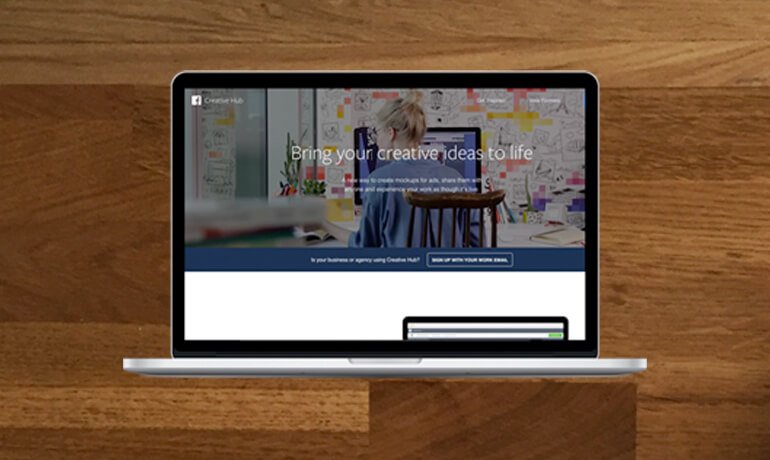
Is creating a Facebook ad mockup part of your entire planning and strategy process? Looking for way to share it with your boss or client without trying to screenshot every single ad you’ve created? There’s now a solution. Featuring Facebook’s new tool – Creative Hub. What is Creative Hub The Creative Hub allows you to create mockups for any Facebook or Instagram ad unit easily. It’s first tested to more than 30 years agencies to build a revolutionary experience that’s now ready for the entire industry to use. Here are what people say about the Creative Hub, “Using tools like Creative Hub to better understand and explore innovative advertising products helps us to push creative boundaries. This is especially important if we want to adapt quickly to new technology(s) to create ground-breaking work.” – Julian Cole, Head of Communications Planning at BBDO “To be able to use this tool to build adverts in situ on Facebook and Instagram makes it much easier for us to present ideas in the way that people experience them, and ultimately helps enable our clients’ brands to connect to their audience.” – James Temple, EVP MD Executive Creative Director EMEA, R/GA “Creative Hub has streamlined the process of producing concepts for Facebook and Instagram, saving us time, providing a consistent framework and the magic of demoing creative to clients on their mobile devices.” – Sam Gibbs, Emerging Technologies Director, Grey London As an advertiser that creates and manages display or social campaigns, creating mockups is crucial in ensuring that the vision and goal of an ad unit is there when you bring ad creative to life. Creative Hub’s list of supported Current Mockup ad units The Creative Hub allows you to create mockups for any Facebook or Instagram ad unit easily. Facebook Carousel Ad Canvas Ad Video Ad 360 Video Ad Video Link Ad Slideshow Ad Image Ad Website Link Ad Instagram Instagram Stories Image Ad Video Ad Carousel Ad How To Create A Facebook Ad MockUp: Step by Step Instructions As an example, we will create a website link ad mockup. Let’s walk through a mockup right now. Note: Make sure you are login to your Ads Manager or Business Manager. 1. Click Creative Hub. 2. Choose Image. Find Facebook Website Link Ad. Then click, Create Mockup. 3. Fill in all the elements of a Facebook or Instagram Ad unit available. If you’ve missed one element, the tool will give you an error message. Below, we put in some example text and imagery for our mockup link ad. Once done, you will see the preview of the ad in different placements: News Feed, Mobile News Feed, Feature Phone, or Right Column Ad. Protip: To ensure that you’re uploading an image that will pass the Facebook image text rating, we suggest clicking the Image Text Check. 4. Click Save. How To Share the Facebook Ad Mockup Now, you’re set to share the output to your boss or client. To get the shareable link for a live preview of the ad, click the arrow button. You’ll see the shareable link for the example ad we’ve created here. It will show up as “shared by ____ (the name on your Business Manager account). (If you’re using a personal account to log into Business Manager, keep in mind that your name will appear.) You will also have the option of sending the ad to your mobile device and viewing the ad preview directly in your Facebook app. To do that, check out the screenshot below. Conclusion That’s it! You can now create your first mockup. The only drawback with this tool is there’s no way to automatically import it to Power Editor. But let’s wait and see. Facebook might have this feature in the near future. For more information, go straight to the source or reach out to EmergeLocal for any social media marketing needs.

How to write compelling Facebook ad copy
Facebook Advertising, How To's, Our Blog

How To Write A Compelling Facebook Ad Copy

Are you frustrated with the results of your Facebook ads? Have you ever thought that those results were caused by the ad copy? Chances are your ad copy sucks. Fret not. Here are simple tips for writing compelling Facebook ad copy. Plus, watch out for the Ad Copy Cheat Sheet as a bonus at the end of this blog post. Make the ad copy relevant to the image Relevance is critical for success when using Facebook advertising. Remember, it’s a form of PPC which means you’re paying when someone clicks on your ad. If you’re showing ads that aren’t relevant to the ad image or target market, you’re wasting your time and money in doing Facebook ads. If you want to determine if your ad is relevant, Facebook advertising has this feature called “Relevance score” (counterpart of Quality score in Google AdWords) which measures the relevancy of your ad copy, image, and landing page to your audience. Let’s take the ad of Quizony below, the headline “What Kind of Fairy Are You?” is relevant to the image. People will determine the purpose of the ad because the word “Fairy” is related to the image (a fairy). Looking at the result of the ad, it has 1K likes, 330 comments, and 410 shares which means the ad resonates to its target audience. Ask a question People tend to become alert when they’re being asked. Asking your target audience a question can be a good way to encourage them to read, think and click on your ad. Here’s an ad from Quizony, their ad copy started with a question, “Ever wondered what gender your brain is?”. Plus, the headline is a question. If you will see this ad, definitely you’re going to pause, read the ad, and be curious about it. Test the long form ad copy If you frequently create a short copy for your ads and are not seeing great results, maybe it’s time to test the long form copy. In the ad with long text, you would be able to tell a story and explain everything. I recommend to test two ads with same image but different ad copy version (short ad copy and long ad copy). Mention price By including the price, the ad allows users to self-select based on whether they can afford the product or service. If they can’t afford it, they won’t click through, thus saving the advertiser money on unqualified clicks.) Let’s take the example of the ad below. Dreamland Jewelry includes the price of the product. If your target market click through the ad, it means the price $10.38 is a good price for the product. This weed out the your unqualified target audience. Create a sense of urgency (scarcity model) Adding a time frame to your ad copy creates a sense of urgency. In the ad example below, Emirates uses the word “until” that indicates time. Aside from “until”, there are other words or phrases you can use to add a sense of urgency including “today”, “now”, and “this week. Clear Call to action Having a clear call to action (CTA) is vital to the success of your ad. It is giving your target audience an idea what to do next. Your CTA should encourage people to click on your ad now. In the ad example below, Plexuss.com includes the words and CTA button “Sign Up”. It makes you want to click the article to learn more and act on it. It maybe filling out a form or purchase. Wrapping Up There you have it: Six tips of turning your Facebook ads into profits together with a few examples of awesome ones from all different brands. Getting Started Writing ad copy is both an art and science just like choosing an image. That’s why we created the Ad Copy Cheat Sheet. (Click the button below to open). Save it, print it, share it with your team.

bulb and blackboard
How To's, Our Blog

Stay Top of Mind With Your Leads by doing this 3 Smart Things🧐

Are you struggling on how to stay on top of mind with your customers? Is your goal to educate leads and guide them through the buyer’s journey? After prospects have visited your website, called, or emailed you, they’ve converted into leads. But these leads might not ready to make a purchasing decision. That’s why you need to find ways to convert them to influence to make a purchase decision. HubSpot highlights the 5 stages of the customer buying cycle and shows you exactly how to leverage each stage. InboundWorks grouped the 5 stages to 3 stages for a simpler and more meaningful model. Awareness stage is the first opportunity to connect with your audience. The impression you will make in this stage will make a whole lot difference when moves to the second (evaluation) stage. If you win the second stage, your target audience will finally make purchase (final stage). But what if your leads did not make a purchase? Are you just going to sit and do nothing? Your leads have expressed initial interest in your company so the next thing to do is you need you need to continue to stay top of mind with them throughout their purchase process. That way when the time does come for them to make a decision, you’re the company they choose. So let’s look at three smart ways to attract and stay top of mind with your leads: Bring Them Back With Retargeting In definition, retargeting also known as remarketing, is a form of online advertising that can help you keep your brand in front of bounced traffic after they leave your website. It happens after leads have visited your website. Retargeting ads are ads that follow you everywhere. It reminds your leads of your business so they return to your website. Let’s have a good example here. Let’s say you’re a real estate broker in Angeles City, Pampanga and a prospective new home buyer visits your website. After reading several pages on your site, he leaves your website and visits other potentially unrelated sites across the web. Because he has already visited your site, the retargeting technology can identify him as an interested shopper and show your display ad to him as he continues to surf the web. It’s a perfect opportunity to re-engage him with a promotional offer like “10% Discount on Equity” and a strong call to action like “Book Your Free Site Tripping Today” so he will click the ad and return to your website. By staying top of mind with your lead while he was in the consideration phase, you can encourage him take another step toward becoming a customer. Call Your Leads Back Quickly Before They Lose Interest Did you know that most consumers buy from the businesses that respond back to them first? Your audience becomes a lead when they act on what you want them to do. For example, you’re a real estate broker and you advertise an open house. When a potential customer clicks your ad, it will be redirected to a landing page where there’s an obvious contact form to capture pertinent information such as name, email address, and contact number. After you receive the information, the next thing to do is follow up on them as soon as possible by calling them and asking more questions. For instance, did they want to set an appointment for a free site tripping? Do they need pricing information, etc.? This information not only enables you to help your lead, it also gives you background information you can use in follow-up communications. Nurture Them With Emails Do you know that the first email was sent 45 years ago? Email serves a purpose until now when it comes to marketing and closing sales leads. They are a great way to stay top of mind with your leads and previous customers. Here are the reasons why email is great for nurturing your leads:Cost effective Most of us have email addresses,It’s something personal,You can go back to an email every now and then Emails can be customized. Follow up your consumers with great stuff about your business. To give you an idea what type of follow-up emails you can send to your leads, here they are: Links to relevant industry articles Alerts about upcoming sales and special promotions News about your products and services Testimonials from happy customers Updates about your company’s culture That’s it By providing timely, personal, and helpful information, chances are you can convert your prospects into sales. A comprehensive CRM software would be a big help to keep you updated about each of your lead. How do you stay top of mind with your leads? What’s your current process in keeping your leads warm? Let us know by leaving a comment below.

Facebook Login and Phone
How To's, Our Blog

How To Apply Cialdini’s Principles of Persuasion to Facebook Ads

Did you know that you can use principles of persuasion in Facebook Advertising? There’s no magic involved, but actually scientific knowledge. Based on the book called “Influence: The Psychology of Persuasion” written by Dr. Robert Cialdini, the decision of an individual can be influenced by these six principles which were reciprocity, commitment/consistency, social proof, authority, liking and scarcity. Before I go through each principles of persuasion, let me give you a brief background of Dr. Robert Cialdini. Image source: Flickr Dr. Robert Cialdini is a marketing and sales persuasion expert. Some call him “The Godfather of Persuasion” due to his involvement in extensive research and scholarly training in the study of psychology of influence. He is best known for his popular book on principles of persuasion and marketing, Influence: The Psychology of Persuasion. The main objective when implementing these principles in your Facebook Ads is to achieve your marketing goals which can be the following: Get more sales Increase newsletters subscriptions Drive more visits to your website Get more app downloads In this article, I’ll elaborate on each of these principles and show you how other businesses are applying them in their Facebook Ads. If you’re a marketer, social media manager, or simply want to make your project work better, be sure to read these 6 principles of persuasion: Applying the Principles of Persuasion to Facebook Ads 1. Reciprocity When was the last time you pay back someone because you feel a sense of indebtedness? Social norms compel us to respond to a favor with another favor, in order to not be considered ungrateful. Based on the idea of reciprocity, marketers often use this principle by offering “free samples” or “discounts” to others if they’ve received favors from those others. It is important to understand that the principle of Reciprocity is only applied if you’ve already given value to someone before you ask for something in return. Though this principle is very popular, you can still make it more effective by using these three factors: Principle of Reciprocity: Example of Execution For example, Drop Ship Lifestyle offers FREE step-by-step training modules to their target audience which are eCommerce newbies. These modules are offered WITHOUT asking for anything in return (and if they do, it’s only communicated as a method of delivering that modules to them). Don’t get confused with the ads you see that offer something, like a bonus, in return of buying something. They’re not giving the value first hand which is the actually the essence of reciprocity. 2. Commitment and Consistency Quoting Cialdini, Once we have made a choice or taken a stand, we will encounter personal and interpersonal pressures to behave consistently with that commitment. Those pressures will cause us to respond in ways that justify our earlier decision. In this principle, retargeting is very important because of these two reasons: You want to stay top of the mind of your target audience Customers trust you because they’ve accepted your previous offer A good marketer knows how to influence the buyer by offering a lead magnet and tripwire before the premium offer comes in. Principle of Commitment and Consistency: Example of Execution For example, the ad of ISCAHM is retargeted at website visitors who did not sign up for their course. In our experience here in Emerge, retargeting website visitors who were going to purchase the product earlier but did not do for some reason is highly effective in generating sales or achieving the marketing goal. 3. Social Proof Imagine, you’re shopping for a hair care product and there are two brands in front of you. One is endorsed by celebrities and has rave reviews online why the other is barely new in the market. Which should you use? The answer is obvious. In the principle of social proof, the decision is based on the rate of collective approval. I will explain more of this later. In addition, Dr. Robert Cialdini defines social proof as, It’s a principle of persuasion. It says the people want to follow the lead of those individuals around them, like them so in any given situation will look to see what the people around us like us our doing and follow soon. Principle of Social Proof: Example of Execution In the example above, HubSpot mentioned “500,000+ fellow marketers” in the Ad’s body copy to show that others are already subscribed to their newsletter. The 500,000 fellow marketers is an example of collective approval which I’ve mentioned before. It’s not only the decision of ONE but MORE which gives high impact to a person. Furthermore, Cialdini’s principle of social proof works great when you include testimonials because you can have a grasp of the what a product and service can do to you as a customer. 4. Liking Now let’s proceed with principle of liking. Cialdini said, We’re more likely to be influenced by the people who we like. In social situations, if you like someone, you’re more likely to do something they want or ask. That’s why we have what we call fans. And if the people you like including your relatives, friends, families liked a product or service, tell you that it’s awesome, you will immediately trust them. That’s what you call word-of-mouth recommendations. This principle can be applied to your Facebook Ads in the following way – use an object or person who your audience likes and promote your product in association with it. Let’s take a look at the example below. Principle of Liking: Example of Execution In the ad above, Sunsilk, one of the leading hair expert companies in the world, associate their new product to a well-known celebrity. If you are an avid fan or you simply like the celebrity, you’re going to like the product too. 5. Authority It’s human nature that people follow who look like they know what they’re doing. They are the authority figures. Authority is not just based in the positions of power or experience. It can be superficial too. For

facebook twitter famous applications
Guides, How To's, Our Blog

How To Create A Social Media Marketing Plan in 5 Easy Steps (Free Template)

Are you wasting countless hours just thinking what to post on social networks? Or you don’t even know where to start. That’s why planning is the key. With so many outlets like Facebook, Instagram, Twitter, Google+ and LinkedIn, you may be spending 50% of your time to put every action you take on social media. Not cool, right? So what you need right now is a social media marketing plan. First off, let’s define social media marketing plan. A social media marketing plan is a template that is something you can refer to and adjust as you forge ahead towards meeting desired goals. In this article, you’ll learn what a social media marketing plan should be and build the ultimate social media calendar that will save you time and stress in just 5 simple steps. How To Create A Social Media Marketing Plan in 5 Easy Steps Plan your social networks Most business owners proceed to the second step but I believe knowing which networks should you be on is the first step to any social media marketing plan. Should you create an account for every social media networks? Let’s find out. Know where your audience is. You should be on the same networks as your audience. It cliché but it’s true. Write down two to three networks that are clearly popular with your audience. Start small because remember you have to maintain content on these. Plan your goals Having objectives in place allow you to gauge your success and prove your return on investment. Without these goals, you won’t be able to execute your strategy. Here are the examples goals you might want to achieve: Drive more traffic to your blog Increase social followers Increase sales Grow email subscribers Write down at least three social media goals to start with. For example For Instagram, we will share photos that communicate our product values. We will do this by posting 2 photos a week that will achieve 20 likes plus 5 comment each. Plan what you will create I think this is the most exciting part of the planning. This is where you can get creative. In this step, you’ll plan and create the actual pieces of content. It could be visuals, videos or longer text posts depending on the social network. To help you with planning, here are the following content ideas you could come up with: Images A picture is worth a thousand words. According to a study, 90% of information transmitted to the brain is visual, and visuals are processed 60,000X faster in the brain than text and 40% of people will respond better to visual information than plain text. In that case, images are worth it to post. So you need to plan to include some. If you don’t have someone who can create great images, or you’ve determine that you cannot create imagery by yourself, you can use Canva. Season-themed campaign Events, holidays, and promotions are part of our daily lives. You can incorporate these to your social media campaigns too. Curated content Content curation is the process of sorting through the vast amounts of content on the web and presenting it in a meaningful and organized way around a particular theme. What you’re going to do is to regularly share outside from publications and influencers. Caveat though, you must stick to your topic! Plan when you will publish Once your content is in place, you can set up a social media publishing plan to fit your desired outcome. You can use the most popular social media scheduling tool like Emerge Postmany. There’s no standard frequency of publishing you should follow. But for Twitter, posting more than once a day is the best approach. For the other social networks, observe the engagement (comments, likes, or shares). Plan what you need to evaluate and measure Do you have idea what to evaluate and measure after you scheduled the posts? Measuring the performance of your posts is as critical as finding the social networks that will best work for your business. If you’re managing a Facebook page, you can track the following metrics: Page Likes Page Comments Post Shares If you have a Twitter account, you can measure the following metrics: Mentions Followers Retweets These metrics you’re going to measure depend on your goal and the social network. There are analytics tools available on each platform to gauge user reactions and continually develop your strategy. To measure the performance of Facebook posts, take a look at Insights. Twitter Analytics offers summary and detailed report about tweet impression, followers, mention and profile visits. With Pinterest Analytics, you can see what people like from your profile and what they save from your website. Conclusion As new social networks emerge, there’s an adjustments needed on your existing social media plan. The key point I hope you take from this is you ask yourself about what you want, how you think you should get there and what success you want to achieve. Write it down. Plan it out. Good luck on your social media journey! Bonus: Free Social Media Template There’s tons of social media templates out there in the internet but ours includes the basic structure you need to build up your own strategy document. You’ll notice that each platform is separated from each other. The reason here is your Facebook strategy is different from Twitter. One of the most important features of this template is the ‘topic’ column. If you are in the real estate industry, you can have topics including Monday Motivation, Featured Model House, Curated Content, Featured Community, TGIF quotes, and many more. You should come up with new and exciting things to post so by making your template organized can cut down on the amount of time wasted. Remember that this template is not final. Feel free to add your own columns or remove in which you think is not necessary. Don’t worry, it’s okay with us!

Scroll to Top