Emerge

Social Media

Creative Instagram tips small businesses startups
Facebook Advertising, How To's, Our Blog, Social Media

How To Build Facebook Audience From Scratch and Increase Conversion

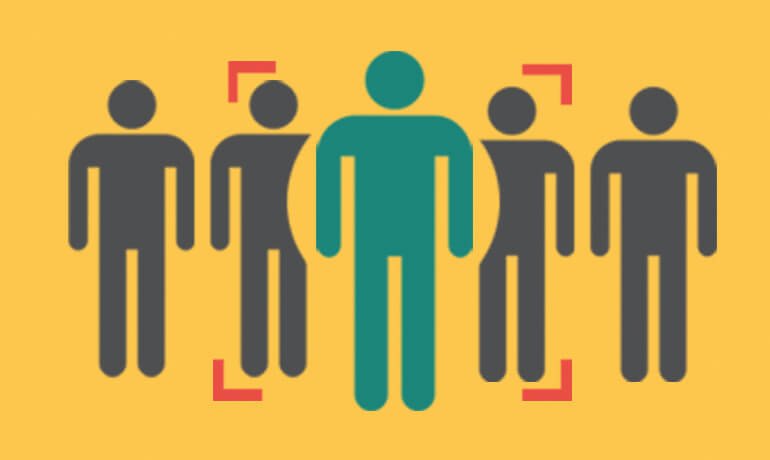
Looking for ways on how to build Facebook Audience but you’re not quite sure where to find them? Do you have a great product, service, or offer but you’re not sure how to get it in front of your next customer? And did you know that 78% of American Consumers discovered products that they wanted to buy via Facebook ads? As a beginner, these are the types of questions you ask yourself when placing a Facebook ad. Well, it’s possible to target your ideal audience even you start from scratch. In this article I’ll share three ways to target Facebook users with your ads, many you’ve likely not considered. Build New Audience Through Facebook Fans There’s one way to show your ad to people who have liked your Facebook page. Target People Who Are Similar To Your Facebook Fans One way is to use lookalike audience where you target all the people who have the same interest and behavior. This targeting is ideal for Facebook pages with very few likes. If you have a business page which has more than 2000 likes, you can target your own fans aside from this targeting. Start by going to the Audiences section in your Facebook Ads Manager. Click Create Audience. Select Lookalike Audience. You can choose multiple target audience size in one lookalike. Now you are starting to build Facebook audience, and you can target your Facebook fans. Build New Audience Through Your Existing Email List There are two ways to show your ad to people who have subscribed to your email list. Target People Who Are In Your Email List One way is to target all the people who have subscribed to your email list and show your ad when they log in to Facebook. Remember that if you upload 1000 email address, Facebook doesn’t guarantee that they will be showing your ads to 1000 email addresses To start, click Choose Create Audience and select Custom Audience. Then Select Customer File and click Choose a file. Upload the CSV file or choose the other option. Now the audience starts building, and you can target those email subscribers. Target People Who Are Similar To Your Subscribers You can create lookalike audiences from email lists you’ve uploaded. Start by going to the Audiences section in your Facebook Ads Manager. Then, select click Create Audience and select Lookalike Audience. Then, select the email list you want to create a lookalike, country of your target audience and percentage of similarity. Reach People Who Visited Your Website Your website visitors are the people who are most interested in your product and services because they took the time to browse your web pages. It is ideal to target customers who already know you because they will likely avail your product or services. Now, you have two ways to make the most out of your website visitors. Retarget People Who Visited Your Website Facebook has a retargeting feature similar with Google AdWords. You can target all the people who have visited your sales website or a specific web page. To do this, you need to set up website retargeting well in advance of when you need it. Once you install the pixel to your website, the audience starts building from that moment on. To create an audience where you can target your website visitors, start by going to Audiences. Then, select Create Audience and click Custom Audience. Choose Website Traffic. Choose a specific retargeting option. Protip: Create an audience of all people who visited your website before any retargeting option. The more conditions you select, the less number of potential reach you’re going to get. Then, type in the domain name of your website. If you want to show your ad to people who visited your website in the last 7, 30, or 180 days, simply input your desired number. Reach People Similar to People Who Have Visited Your Website You can create lookalike audiences from website visitors. Go to the Audiences section of the Facebook Ads Manager and select Lookalike Audience from the Create Audience drop-down menu. Then, select the Source. It’s the name of the website custom audience targeting all your website visitors. Also, choose the country and percentage of similarity that matches the criterion. Conclusion One important thing you need to do is to create all your audiences first running any ad so you can save time, money and effort. I recommend to do your own testing to find out what audience gives you the best results. Once you get comfortable with these audiences, you may explore other targeting using interest, behavior, and demographic.

Philippine brands facebook video ads 2017
Facebook Advertising, Our Blog, Social Media

See Philippine Brands’ Facebook Video Ads Of 2017

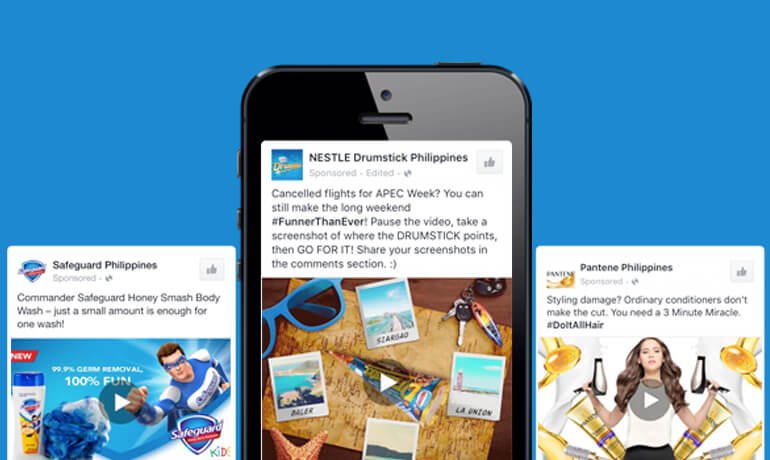
Do you know that brands are heavily using video in their Facebook? Marketers believe that 2017 is the year of video and the ideal platform where most videos got shared is Facebook. When it comes to finding the right platform to promote your video, Facebook is a strong contender. Whether you’re spreading brand awareness, announcing a new product launch, or launch a company, quality and emotional driven branded video campaign makes customers feel emotionally connected. In this article, you’ll find the ten best Facebook Video Ad examples that are inspiring and tickle the emotion of the viewers. Plus, we’re going to give you tips and tricks on how to create great video ads on Facebook. See Philippine Brands’ Facebook Video Ads Of 2017​ 1. BEAR BRAND Adult Plus Bear Brand has always been quick to adopt influential celebrities and incorporate them into their strategy. They teamed up with Alden Richards and managed to create something relatable — regardless of his celebrity status. For the #TibayForWorkGoals campaign, Bear Brand launched a video ad to promote strength and of course, a positive brand image. 2. Belo Essentials Always perfectly in tune with their audience when it comes to their advertising campaigns. The newest video reaches working girls by powerful message that leaves a positive outlook in their lives. 3. Bonakid Pre-School The video turns to be engaging to moms and their kids. This is a powerful example of using a dance video to spread brand awareness and a positive message. 4. COCA-COLA Philippines Food is said to be the one thing that is always certain to bring families together. In their latest video campaign, Coca Cola — a carbonated drink company — suggests food can be enjoyed with their drink. They teamed up with Yummy, a food magazine to create this how-to video and found a way to connect with a huge audience — garnering over 1 million views. 5. Del Monte Kitchenomics Del Monte, a food and beverage company created a recipe video to help viewers create a new twist to their usual “adobo” recipe. What’s great about this video is they use the national viand of the Philippines which is adobo and come up with their version. 1020 6. Globe Telecom Globe Telecom, a telecommunication company, uses Disney’s Beauty and the Beast forward to their full advantage. While the campaign is obviously centered around the Disney’s most-awaited movie of the year and has little to do with the brand itself, Globe Telecom video mentioned their product through texts and not on the video. It shows a prime example of how the most successful video ads focus more on the story, than the product itself. 7. KidZania Manila In KidZania Manila’s new video campaign, they embraced their “inner child” in an effort to promote their brand. What’s great about this video is that it showed kids having fun and learning at the same time. 8. L’Oreal Paris Philippines The campaign #NeverFail is a great example of brand and influencer collaboration. L’Oreal Paris featured Solenn Heusaff, an actress and a make-up artist, to showcase their newly-launched product. 9. Nestea The NESTEA #PlungeToPledge is a digital campaign that promotes environmental awareness among consumers, the direct result of which will be cleaner beaches. Rather than leveraging how-to like the Coca Cola video, it provokes empathy with viewers. Who doesn’t get to plunge when watching videos of people plunge too? Now, those sentimental feelings translate with consumers when thinking about Nestea. 10. Philippine Airlines Facebook has become infused in our society, making FOMO, or the fear of missing out, a real thing. Meeting friends, and sharing your life with those friends, is the business of Facebook. Philippine Airlines took advantage of the current society. In this video, it perfectly portrays how people can connect with others who share similar interests by showcasing beautiful destinations in the Philippines. As promised, here our top four tips to create a great Facebook video ad. 4 Tips to create great video ads on Facebook​ Showcase real emotions Facebook allows targeting based on real people. So it’s better to have a video that emphasizes emotion from the beginning, middle, and until the end. Capture your viewer’s first three seconds Facebook autoplay each video on Facebook feed and pause it when people scroll past it. So, make sure to catch person’s attention in the first three seconds. Make sure it’s engaging even without captions As a person scrolls down in their News Feed, each video starts playing without sound. Make sure that even without captions, your audience get the message visually. Be authentic Brands and marketers spend a big chunk of their marketing budget to broadcast their ad. But be vigilant, because Facebook prioritize user engagement over direct selling. Ensure that you are showing authentic story and the content of the video is engaging. What’s your favorite Facebook video ad? Share your thoughts in the comments.

Facebook live marketing a primer
Our Blog, Social Media

Facebook Live Marketing – A Primer

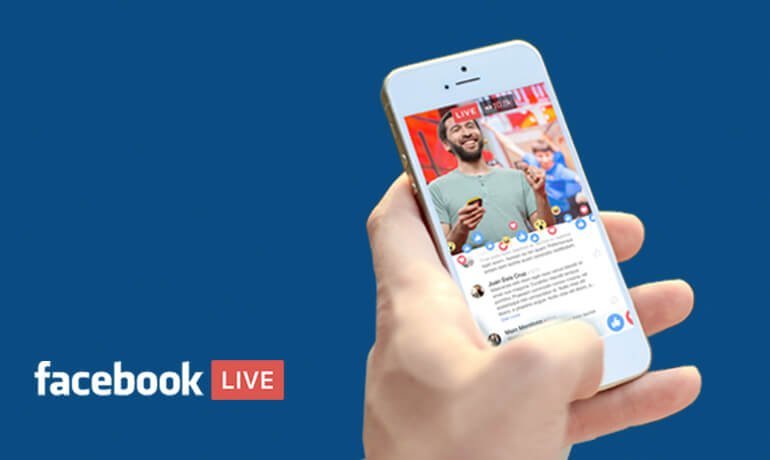
Thinking of new ways to have a great conversation with your followers? How about doing this in real-time? Facebook Live lets you connect with your fans, friends and followers by sharing real-time video of what you’re seeing and doing. It made its debut last 2015 in its early stages with selected accounts including Dunkin’ Donuts, Tastemade and The Young Turks news network. Fast forward to 2017, it’s now available to all users provided that you have a video camera, an Internet connection, and a Facebook account. Facebook Live Marketing – A Primer So what is Facebook Live anyway? Facebook Live allows you to show your expertise in real time, take people behind the scenes, and much more. This is a good news for marketers and business owners because of high engagement and significant long term gains in social marketing. Simply put, engaging conversations with your followers can be capitalized. They can also share the video with their friends and family, potentially increasing its reach. By following these tips for Facebook Live, you’ll make it easier to market your products or services with a higher success rate. Here’s what you need to know. Provide a behind-the-scenes experience to customers “Customer experience is everyone’s business” is a mantra that I often hear from customer experience leaders. Of course, it’s true. Give your customers a peek behind the curtains of your business. By showing “behind the scenes” content, your prospective customers will be enticed to your products or services because they will know what you’re offering is a value for money. Show to your customers that your pair of shoes is handmade or your beer is “pure”. But giving customers a peek behind the curtain doesn’t have to end with physical products. The “behind the scenes” strategy is applicable in quite a variety of industries. Below is an example of a behind the scenes LIVE. ​Show sneak previews of new products or updates Product-oriented business can share sneak peeks of new products with their followers via Facebook Live. For example, if you just launched a new product, but it’s not yet available on your website, you could use a Live video to tease it to customers. As for the updates, this can be applied in service-oriented businesses where they can share daily updates, tips, and helpful hints. For example, if you are a real estate broker, you can some tips about real estate 101. In this way, you’re giving value and is positioning yourself as an expert in the field. Check out an example of an updates or tips LIVE by Benefit Cosmetics. ​Promote events Since Facebook Live lets you broadcast video in real-time to your followers, as well as directly to an event page or group, promoting an event via Facebook Live is definitely possible. For example, if you are a real estate developer, you can live-stream the “Open House” event. Chances are, you can still engage your followers who want to attend the event but can’t afford to. Answer questions Mark Zuckerberg did this during his first live public Q & A last year. He invited users to post questions in the comments, and for others to vote on them by “liking” the comments. Encourage further comments and questions to get more news feed activity and engagement. Protip: Compile all the Q & A and create a blog post version. Share it with your followers so they can still refer to it every now and then. Conclusion There you have it! We hope this has been a realization to you as a business owner or marketer that live video is worth a shot. As for Facebook, we’re curious to see how they develop their live video platform to help brands connect more deeply with fans and followers, and individuals connect more deeply with friends, family, and community. For more Facebook Live tips and tricks, check it out here.

Creative works and a man
Our Blog, Social Media

3 Tools To Create Stunning Social Media Visuals

Are you looking for tools to create stunning images for social media?Fact: Social media gone visual. To make your social media posts appealing, you need new design tools that will streamline your design process.Part of our work as an advertising agency is to create such amazing visuals for our clients, whether those are Google Display banners, Facebook covers, Facebook ad images, and Instagram images.We are always on the hunt for user-friendly design tools to create multiple graphics for social media. Maybe you are too.In this article, you’ll discover three new design tools that will help you quickly create amazing visuals for social media.Before we proceed to our topic proper, let’s discuss first the advantages of a design tool.What are the Advantages of a User-Friendly Design Tool? Business owners do not get time to develop high-quality graphics for their businesses. In order to help these entrepreneurs, user-friendly design tools are considered to be of great help. These tools are especially created for people who lack the knowledge of creating a graphic. Here are the top advantages of using an online design tool.Ease of UseMost of the design tools come with a drag and drop facility. It provides the user with the ability to make changes easily.Ready-made TemplatesGraphic designing also includes learning a design software like Adobe Photoshop. But when the user picks an online design tool, he does not have to worry about any of these as it comes along with readymade templates. The user has thousands of templates to choose from and create a stunning image.PriceCost is one of the most attractive features of an online design tool. By using this tool the user can immensely cut the cost of designing a graphic. When the user actually gets down to build a graphic the main cost he incurs is of hiring a graphic designer.So, with that in mind, here are 3 tools we currently use in our work.3 Tools To Create Stunning Social Media Visuals Relay Relay’s user interface is straightforward. You’ll see the layouts and the preview for each platform.To start, choose a template based on platform, image style, or shape. Edit the image by clicking the ‘wrench’ icon. For a quote image, add the text as well as the website address. You can change the background or add you logo for the branding. For a hashtag image, simply add the text and the website address. The image below shows that assets such as photos and logos can be entered into the system to create your image. It doesn’t automatically pull in images like the other design tools available. To preview your work, just click the ‘wrench’ icon and you’ll see your work for a variety of social formats. If you want to change the photo, simply upload a new one. To show the resize layouts, just click the Russian doll icon. The change is now reflected in dozens of different graphics. If you’re satisfied with the preview, simply download the graphics by clicking the cloud icon. Relay has tools where you can use for cropping, putting watermarks, and creating images to make a good Instagram feed. But the downside of Relay is it doesn’t allow you to edit the overall structure of the template, like where the title, subtitle, or photo is positioned on the image. Relay is ideal for creating bulk sets of images which saves you time and effort and give you more time to focus on executing strategies. You can use Relay’s free trial without inputting your credit card details. To create images without Relay’s branding, you can pay for 8 USD per month. Snappa Snappa’s user interface is clean and simple (we’re not a fan of cluttered workspace). You can create graphics basically for various formats. Social media posts Blog graphics Header graphics And various social media and display ads In Snappa, you could start with a custom size graphic. The image below shows your workspace. You can create more appealing images using the 5 elements: Background – You can upload a new background image, pattern, color or use one of their stored images. Effects – You can add spice to your graphic by putting up effects like blur, hue, brightness, contrast, and more. Text – You can add text in various sizes. Graphics – It’s the element we think that’s so cool. Plus, graphics are modern looking. Shapes – You can add shapes, resize them and adjust to your liking. If you love putting up a lot of graphics to your image, Snappa is perfect. The site is dead-easy to use and robust. You can take advantage of Snappa’s free use for up to 5 downloads and shares per month and with access to limited templates. To use all the features, simply pay 10 USD per month. Recite Recite is like your one click design tool. The process in creating a graphic in Recite is very easy. Simply add your text, choose the template you want and BAM you have the image ready to download or share with your social media profiles. Let’s try creating one while I’m writing this post. First off, add your text. Next, choose from the templates below. Finally, click the create button. Wait for the image to render. Once done, you’re ready to download it or post to your social media profiles. If you change your mind, you can always go back to the first step. Recite is ideal if you want to create those funky looking images with quotes you see all over the social media. Plus, it’s free to use. What do you think? Have you used any of these tools to create professional-looking images with ease? Share you experience in the comment section below.

Scroll to Top