Facebook Analytics Will Shut Down On June 30 – Here Are Other Ways to Explore Data
Have you heard the recent announcement of Facebook?
There is no denying that this one-year-old pandemic has changed everything in our lives. From the daily routines we have been used to, some personal aspects such as our interactions which are mostly physical, are significantly affected. And with this, challenges and new obstacles are brought about for businesses and companies all over. Unfortunately, until now businesses are having a hard time keeping up with what to do to keep the business growing given that restrictions and other protocols must be followed. However, instead of seeing the downside of the changes in our day-to-day lives, the age of modernity also provides us a modern solution. We are now in a world where resources are easily available and we only need to navigate them well and utilize the said resources strategically. It may have been, without a doubt, an option in the past to pay less attention and regard to marketing, in general, as compared to the other departments of the company. But in this time where many people’s choices are highly influenced by branding and digital presence, and almost everything relies on technology, a business with no online marketing is at a disadvantage. Here’s why digital marketing matters greatly for your business now. Gives you a few steps ahead Many businesses are already trying to go back to their normal operations if that’s really possible. Of course, it is not a walk in the park while we are in the middle of a crisis. But continuously working on the competitive advantage of a business gives you a few steps ahead of your competitors. And those steps are motivated by your online presence. In having a business, it is important to keep in mind that where there is a crowd, there is a market. And during this pandemic, your supposed crowd is usually stuck at home, avoiding public places to stay safe, and living through their gadget’s screen— in short, they are online where your marketing should be as well. Find out how to utilize Facebook Ads effectively beginners with this guide from Social Media Examiner. Allows you to get to know your audience. While face-to-face interactions are understood to be more personal and honest, the age of technology changes such perception and allows us to get to know our audience with much more convenience— and in this situation— much safety against the pandemic. We only need to highlight this feature and may apply it by knowing your audience better. This happens when we interact with them and engage them which also makes them feel valued. If you want to connect with potential customers, you must know how to generate leads via Facebook posts and ads. Learn more about it here. Gives a chance to your brand’s reputation And as I’ve mentioned above, digital marketing is what helps your product be known to the online world. So why not work on your brand as well and build brand awareness through social media and the internet? Let your potential customers and audience be familiar with your brand online until it is safe for face-to-face interactions. To know how to start boosting your brand in the digital landscape, especially on Facebook, this is your ultimate guide from us. We can say that it truly is a tough time not just for individuals but for businesses out there as we are all just starting to recover and get used to the new normal. But remember to not let the coronavirus pandemic be the limit of your business. Studying and analyzing the current situation and the future will help you prepare. And as for taking the first step into surviving and growing your business amidst the new normal, give a go on your marketing effort. The digital marketing effort. If you’re excited to learn more, get in touch with us.
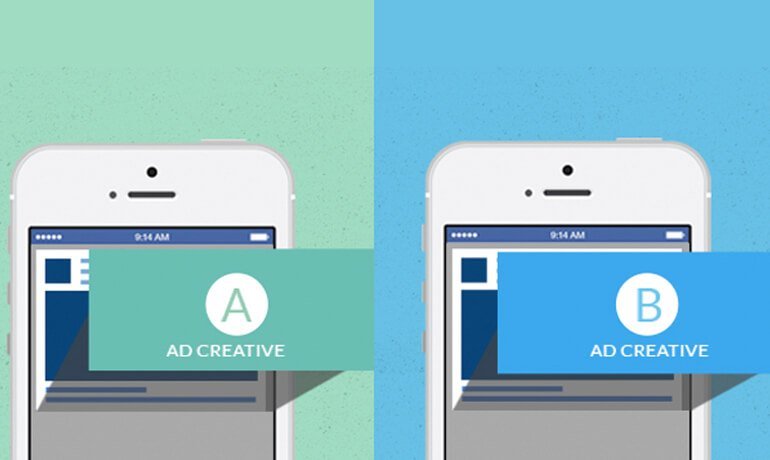
Do you run post campaigns on Facebook hoping that it will gain (a lot of) engagements? What campaign creative do you use? Do you use video, static image, carousel, or gif? Have you ever wondered if a certain creative could be more effective than the other? In this post, we’ll compare the 2 most popular and most-used creatives for page post engagement. But first… What Available Creatives You Can Use? When you create a Facebook ad, you’ll be asked to upload a creative. When it comes to choosing the creative for page post engagement, most experienced advertisers pick a static image. Ad Creatives: What can you use? Carousel – Sequence of images or videos in a single ad. Video – Telling your story in just minimum of 15 seconds. Slideshow – Use a series of images to build an engaging video. Static Image – Use a compelling single image. In my experiment, I compared Video and Static Image. What are the benefits of Video and Static Image? With the video, the main goal is to captivate people with a story about your brand, products or company. It’s highly recommended to tell your story in 15 seconds or less to get your entire message across to more people. According to Facebook, short video tend to perform better on mobile. On the other hand, using a static image is powerful to capture people’s imagination. You can get creative as you want. Lifestyle images and illustration tend to attract people’s attention. But is Static Image always better than Video? ” Videos are better for driving Facebook views, engagement (Likes and comments) but images are actually better for clicks. People will watch videos and spend more time watching your ads but images are more easily scannable. When scrolling, people will decide within 3 seconds if they want to click your photo ads whereas it will take them more time when it comes to videos.” – Jonathan Aufray (Growth Hackers) Marketers said that 2017 is the year of video but I won’t deny that static images have been very successful based on my own experience. I’ve had this burning question in the back of my mind. Should you try to convey the message about your brand through video (running video ad) or compel your target audience through a creative static image (1,200 x 628 pixels non interactive image ad) to increase Facebook engagement? I decided to run an experiment for a leisure company. Background of the Experiment The company wants to achieve these objectives: Promote awareness of their new attractions Acquire reservation inquiries Increase their Page Likes Create a dynamic Facebook page Making sure posts are getting high engagement All of these objectives boil down into one ultimate outcome – increase their sales by 10x this year. To make the campaign more successful, we’ve created a landing page. The landing features an inquiry form and visitor clicks on the “Submit” button. In other words, it refers to a written request for more information regarding the reservation. I ran the ads using the same targeting options, landing page, and campaign objectives. Are you ready to find out what my results were? Wait, before I reveal them, let me give you an idea first my campaign setup. The Campaign Setup First, I created an ad within Power Editor with promoted posts. As I’ve mentioned, the experiment is done using Page Post Engagement campaign objective. The landing page has a contact form where a visitor will be asked to input the name, phone number, email address, date, number of adult, number of child, and a message. The screenshot below shows you the inquiry form. For the same campaign objective, I chose two creatives. The first creative is a video and the other one is a static image. Both of them have already been posted on the Facebook page. To track if we’re getting leads through the landing page, we placed a pixel on the thank you page (the page they hit after clicking the ‘Submit’ button). In both creatives, I used the same campaign and targeting. Let’s take a look at the results. The Results: Video Ad I spent a total of $30.19 to acquire 37,464 engagements and reach 50,427 people in 21 days. And these were my results: Frequency: 3.45 Engagement: 37,464 Cost Per Engagement: $0.0007 Leads: 4 Cost per Lead: $7.54 CTR (All): 8.75% The Results: Static Image I spent a total of $0.58 to acquire 313 engagements and reach 2,630 people in 21 days. And these were my results: Frequency: 1.04 Engagement: 313 Cost Per Engagement: $0.0019 Leads: 0 Cost per Lead: $0 CTR (All): 13.56% The Comparison The analysis is pretty simple. I looked at the 3 metrics that I think are important: Amount Spent Total Number of Engagement Cost per Engagement Here’s how the results for both campaigns looked like for the total number of engagement generated. Side note: What about the Clickthrough Rate (CTR)? As some of you may have noticed, the Static image creative achieved 13.56% CTR while the video creative got a lower 8.75%. The reason behind this is because we’re running a post engagement campaign and the number of engagement is purely based on the objective’s algorithm. Moral of the story In this experiment, it is proven that video is performing well than the static image. The fact that we’re running a post engagement objective and people are now comfortable seeing videos in their newsfeed, it’s acceptable that video is the winner. Plus, the video has collected and insane amount of increase in facebook engagement way before I started the experiment. Facebook’s algorithm might be giving the video more exposure because of its existing data. In fact 85% of all internet users in United States are watching different video types online monthly, and that’s a big population, roughly around 256.7 million people. But, what can you learn from this? You should always be testing on Facebook. You never know another campaign creative might just work better for your
Are you wasting countless hours just thinking what to post on social networks? Or you don’t even know where to start. That’s why planning is the key. With so many outlets like Facebook, Instagram, Twitter, Google+ and LinkedIn, you may be spending 50% of your time to put every action you take on social media. Not cool, right? So what you need right now is a social media marketing plan. First off, let’s define social media marketing plan. A social media marketing plan is a template that is something you can refer to and adjust as you forge ahead towards meeting desired goals. In this article, you’ll learn what a social media marketing plan should be and build the ultimate social media calendar that will save you time and stress in just 5 simple steps. How To Create A Social Media Marketing Plan in 5 Easy Steps Plan your social networks Most business owners proceed to the second step but I believe knowing which networks should you be on is the first step to any social media marketing plan. Should you create an account for every social media networks? Let’s find out. Know where your audience is. You should be on the same networks as your audience. It cliché but it’s true. Write down two to three networks that are clearly popular with your audience. Start small because remember you have to maintain content on these. Plan your goals Having objectives in place allow you to gauge your success and prove your return on investment. Without these goals, you won’t be able to execute your strategy. Here are the examples goals you might want to achieve: Drive more traffic to your blog Increase social followers Increase sales Grow email subscribers Write down at least three social media goals to start with. For example For Instagram, we will share photos that communicate our product values. We will do this by posting 2 photos a week that will achieve 20 likes plus 5 comment each. Plan what you will create I think this is the most exciting part of the planning. This is where you can get creative. In this step, you’ll plan and create the actual pieces of content. It could be visuals, videos or longer text posts depending on the social network. To help you with planning, here are the following content ideas you could come up with: Images A picture is worth a thousand words. According to a study, 90% of information transmitted to the brain is visual, and visuals are processed 60,000X faster in the brain than text and 40% of people will respond better to visual information than plain text. In that case, images are worth it to post. So you need to plan to include some. If you don’t have someone who can create great images, or you’ve determine that you cannot create imagery by yourself, you can use Canva. Season-themed campaign Events, holidays, and promotions are part of our daily lives. You can incorporate these to your social media campaigns too. Curated content Content curation is the process of sorting through the vast amounts of content on the web and presenting it in a meaningful and organized way around a particular theme. What you’re going to do is to regularly share outside from publications and influencers. Caveat though, you must stick to your topic! Plan when you will publish Once your content is in place, you can set up a social media publishing plan to fit your desired outcome. You can use the most popular social media scheduling tool like Emerge Postmany. There’s no standard frequency of publishing you should follow. But for Twitter, posting more than once a day is the best approach. For the other social networks, observe the engagement (comments, likes, or shares). Plan what you need to evaluate and measure Do you have idea what to evaluate and measure after you scheduled the posts? Measuring the performance of your posts is as critical as finding the social networks that will best work for your business. If you’re managing a Facebook page, you can track the following metrics: Page Likes Page Comments Post Shares If you have a Twitter account, you can measure the following metrics: Mentions Followers Retweets These metrics you’re going to measure depend on your goal and the social network. There are analytics tools available on each platform to gauge user reactions and continually develop your strategy. To measure the performance of Facebook posts, take a look at Insights. Twitter Analytics offers summary and detailed report about tweet impression, followers, mention and profile visits. With Pinterest Analytics, you can see what people like from your profile and what they save from your website. Conclusion As new social networks emerge, there’s an adjustments needed on your existing social media plan. The key point I hope you take from this is you ask yourself about what you want, how you think you should get there and what success you want to achieve. Write it down. Plan it out. Good luck on your social media journey! Bonus: Free Social Media Template There’s tons of social media templates out there in the internet but ours includes the basic structure you need to build up your own strategy document. You’ll notice that each platform is separated from each other. The reason here is your Facebook strategy is different from Twitter. One of the most important features of this template is the ‘topic’ column. If you are in the real estate industry, you can have topics including Monday Motivation, Featured Model House, Curated Content, Featured Community, TGIF quotes, and many more. You should come up with new and exciting things to post so by making your template organized can cut down on the amount of time wasted. Remember that this template is not final. Feel free to add your own columns or remove in which you think is not necessary. Don’t worry, it’s okay with us!